
Email marketing remains one of the most effective digital marketing strategies today, offering an average ROI of $42 for every dollar spent. Yet many beginners hesitate to dive into email marketing because they assume it requires expensive software or advanced technical knowledge. The good news? There are plenty of fantastic free email marketing tools designed specifically for small businesses, entrepreneurs, and those just starting their marketing journey.
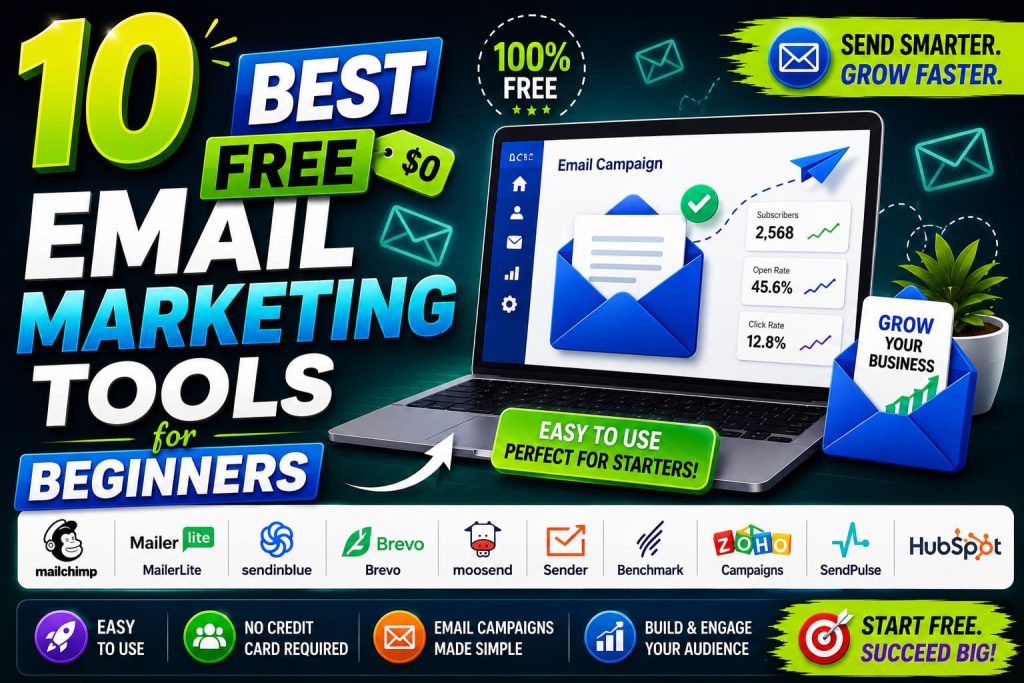
In this comprehensive guide, we’ll walk you through ten of the best free email marketing tools that can help you build your subscriber list, create professional campaigns, and measure your results—all without breaking the bank. Whether you’re running a side hustle, launching a startup, or managing a small nonprofit, you’ll find a tool that fits your needs perfectly.
1. Mailchimp: The All-Rounder’s Choice
Why Mailchimp Stands Out
Mailchimp has become synonymous with email marketing for beginners, and for good reason. This powerhouse platform offers a generous free tier that can support your business as it grows. With their free plan, you can manage up to 500 contacts and send unlimited campaigns, making it an excellent starting point for anyone serious about email marketing.
Key Features of Mailchimp’s Free Plan
The free version of Mailchimp includes a drag-and-drop editor that makes creating professional-looking emails simple, even if you have no design experience. You’ll get access to pre-designed templates, automation capabilities, and detailed analytics to track opens, clicks, and conversions. The platform also integrates seamlessly with popular tools like Shopify, WordPress, and Facebook, allowing you to connect your email marketing with the rest of your business operations.
One particularly valuable feature is Mailchimp’s customer journey builder, which enables you to create automated email sequences based on subscriber behavior. This means you can send targeted messages to customers at the right time, without manually sending each email.
Getting Started with Mailchimp
Setting up Mailchimp is straightforward. After creating your account, you’ll import or manually add your contacts, customize your email templates, and launch your first campaign. The platform provides excellent educational resources through their Academy, offering free courses on email marketing best practices and strategy.
Who Should Choose Mailchimp?
Mailchimp works best for beginners who want a user-friendly platform with room to grow. If you plan to scale your business significantly, you’ll eventually outgrow the free tier, but you’ll have plenty of time to learn the ropes first.
2. Brevo (Formerly Sendinblue): The Feature-Rich Option
What Makes Brevo Special
Brevo offers one of the most generous free email marketing plans available today. Unlike many competitors, Brevo doesn’t limit the number of contacts you can have on the free plan—you can add thousands of subscribers. The only constraint is that you can send up to 300 emails per day, which is more than enough for most small businesses.
Standout Features
Brevo’s free plan includes SMS marketing capabilities, which many other platforms reserve for paid tiers. This means you can diversify your communication channels without paying extra. The platform also offers robust automation features, including triggered campaigns based on subscriber actions, browse abandonment, and purchase history.
The WYSIWYG (What You See Is What You Get) email editor is intuitive and powerful, allowing you to create stunning emails by dragging and dropping elements. Brevo also provides advanced segmentation options, enabling you to target specific groups within your subscriber list with tailored messages.
Analytics and Reporting
Brevo’s analytics dashboard gives you comprehensive insights into campaign performance. You can track delivery rates, open rates, click rates, and even see which links are getting the most attention. This data is crucial for understanding what resonates with your audience and refining your strategy.
Ideal Users for Brevo
Brevo is perfect if you have a large subscriber base and want SMS capabilities without upgrading to a paid plan. It’s particularly good for e-commerce businesses, content creators, and anyone wanting unlimited contact storage.
3. Constant Contact: The Beginner-Friendly Platform
Accessibility for New Marketers
Constant Contact prioritizes user experience for beginners. Their free plan includes up to 500 contacts and allows you to send unlimited emails, making it an attractive option for those just starting out. The platform emphasizes simplicity without sacrificing essential marketing features.
Template Excellence
One of Constant Contact’s strongest points is their library of professionally designed templates. Whether you’re promoting a sale, announcing an event, or sharing a newsletter, you’ll find a template that matches your needs. These templates are fully customizable, so you can make them match your brand’s colors and style.
Built-in Tools for Growth
Constant Contact includes tools specifically designed to help you grow your email list. Their landing page builder allows you to create simple sign-up pages without any coding. You also get access to surveys and polls, which can help you gather valuable feedback from your subscribers.
Customer Support Quality
Beginners often appreciate good customer support, and Constant Contact delivers. They offer live chat support, phone support, and extensive knowledge base articles. Their support team is knowledgeable and responsive, making it easy to get help when you need it.
Best For
Constant Contact is ideal for small businesses, event organizers, and local service providers who want a platform that prioritizes ease of use and customer support.
4. MailerLite: The Growing Creator’s Platform
Why Creators Love MailerLite
MailerLite has gained tremendous popularity among content creators, bloggers, and online educators. Their free plan supports up to 1,000 subscribers and includes unlimited emails—a combination that makes it exceptional value for growing creators.
Automation Without Complexity
MailerLite’s automation is powerful yet approachable. You can set up sequences based on subscriber behavior, segment your audience intelligently, and create workflows that nurture your subscribers automatically. Unlike some platforms that make automation feel intimidating, MailerLite keeps it simple for beginners while offering depth for advanced users.
Beautiful Email Design
The email editor in MailerLite is modern and intuitive. The drag-and-drop interface is responsive, meaning your emails look great on mobile devices automatically. With hundreds of templates available, you can create professional campaigns quickly, even if you’ve never designed an email before.
Advanced Features in Free Plan
What’s particularly impressive about MailerLite is how many advanced features they include in their free tier. You get access to landing pages, forms, welcome sequences, and detailed subscriber analytics. Some features, like SMS and webinars, require a paid upgrade, but the free plan is comprehensive.
Growing with MailerLite
As your subscriber list grows beyond 1,000 people, MailerLite’s pricing remains reasonable, making it a platform you can grow with over time. Many successful creators and small business owners started with MailerLite’s free plan and became paying customers because the value was so good.
Ideal For
MailerLite works best for content creators, course creators, and bloggers who want professional email marketing without steep costs. It’s also excellent for consultants and coaches building their email list.
5. GetResponse: The All-in-One Solution
Comprehensive Feature Set
GetResponse’s free plan might be more limited than some others in terms of contacts (up to 500), but what you get included is remarkable. You get email marketing, SMS marketing, landing pages, webinar hosting, and e-commerce features—all in the free tier.
Landing Pages and Sales Funnels
What sets GetResponse apart is their funnel builder. You can create complete sales funnels that guide prospects from awareness through to purchase without using multiple tools. For beginners interested in digital products or online courses, this is invaluable.
Webinar Hosting
The ability to host webinars directly from GetResponse is a game-changer. You can use webinars to engage your audience, demonstrate products, or share expertise, and then capture attendee emails for your marketing list.
Automation Sequences
GetResponse’s automation is sophisticated yet manageable. You can create complex customer journeys with multiple decision points and branches, allowing you to personalize the experience for different subscriber segments.
Who Benefits Most
GetResponse is ideal for entrepreneurs and small business owners who want multiple marketing tools integrated into one platform. If you’re planning to sell products or services online, GetResponse provides many of the tools you’d need in one place.
6. Omnisend: E-Commerce Marketing Specialist
Built for Online Sellers
If you’re running an e-commerce business, Omnisend is specifically designed with you in mind. Their free plan includes email marketing, SMS, push notifications, and in-app messages—a multi-channel approach that can significantly boost your sales.
Integration with E-Commerce Platforms
Omnisend connects seamlessly with Shopify, WooCommerce, Magento, and other e-commerce platforms. This means you can send automated emails triggered by customer actions like abandoned carts, post-purchase follow-ups, or browse abandonment.
SMS Marketing Included
The inclusion of SMS marketing in the free plan is particularly valuable for e-commerce businesses. You can send SMS notifications about orders, promotions, and exclusive deals, reaching customers through another direct channel.
Pre-built Automation Templates
Omnisend provides pre-built workflows designed specifically for online stores. These templates handle common scenarios like recovery emails for abandoned carts, loyalty rewards programs, and post-purchase feedback requests.
For Online Stores
If you sell physical or digital products through an online store, Omnisend’s free plan provides everything you need to launch sophisticated email and SMS campaigns.
7. ActiveCampaign: The Powerful Automation Tool
Advanced Features, Approachable Interface
ActiveCampaign is known for powerful automation, and their free plan gives you genuine access to these capabilities. With support for up to 500 contacts, you get automation, CRM features, and email marketing in one platform.
Customer Relationship Management
The integrated CRM in ActiveCampaign helps you manage customer relationships effectively. You can track customer interactions, segment your audience based on behavior and demographics, and create personalized customer journeys.
Sales and Marketing Alignment
ActiveCampaign bridges the gap between sales and marketing. Sales teams can use the CRM to track leads, while marketing teams can create automation that keeps leads engaged. This alignment helps improve conversion rates and customer retention.
Detailed Tracking and Attribution
You can track how different marketing efforts contribute to sales and revenue. This attribution tracking helps you understand which campaigns are driving results and where to focus your efforts.
Best For
ActiveCampaign is ideal for businesses serious about scaling their sales operation. If you want sophisticated automation and CRM features without breaking the bank, ActiveCampaign’s free plan offers surprising depth.
8. Zoho Campaigns: The Integration Expert
Seamless Zoho Ecosystem Integration
Zoho offers a comprehensive suite of business software, and Zoho Campaigns integrates beautifully with other Zoho products. If you’re already using Zoho CRM, Zoho Books, or other Zoho applications, Campaigns becomes an even more powerful addition.
Affordable Free Tier
The free plan includes up to 2,500 contacts and 10,000 emails per month, making it a solid choice for growing businesses. Unlike some platforms that cut off features in the free tier, Zoho provides most essential functionality.
Automation Capabilities
Zoho Campaigns includes workflow automation that lets you create complex email sequences. You can set conditions, triggers, and actions that automate your email marketing based on subscriber behavior and engagement.
Social Media Integration
You can schedule and manage social media posts directly from Zoho Campaigns, making it a more comprehensive marketing tool than email alone. This integration helps you maintain consistent messaging across channels.
Who Should Use It
Zoho Campaigns is excellent for businesses already using other Zoho products, or those wanting an integrated business software ecosystem. It’s also good for companies that want social media management alongside email marketing.
9. Substack: For Newsletter Creators
Simplicity Meets Functionality
Substack has revolutionized how creators publish and monetize newsletters. If you’re focused on building a dedicated subscriber base and publishing regular content, Substack’s free platform is hard to beat. There’s no limit on subscribers or emails sent.
Built for Content Distribution
Substack removes barriers to email distribution. You can write your newsletter directly in Substack’s editor, and it handles delivery automatically. The platform provides beautiful, readable templates that work great on any device.
Monetization Options
What makes Substack unique is the built-in ability to monetize your content. You can offer paid subscriptions to your audience, and Substack handles payment processing. For creators looking to build a sustainable business around their content, this is powerful.
Community Features
Substack includes community features that let paid subscribers interact with each other, creating a sense of belonging around your newsletter. This can increase retention and subscriber lifetime value.
Ideal Users
Substack is perfect for writers, journalists, researchers, and thought leaders building a direct relationship with their audience through regular newsletters. If your primary goal is content distribution and community building, Substack is exceptional.
10. HubSpot Email Marketing: The Scalable Powerhouse
Enterprise-Grade Features at No Cost
HubSpot’s free email marketing tool offers surprising depth. You get all essential features without a contact limit, making it excellent for growing businesses. HubSpot integrates with their free CRM, creating a cohesive marketing platform.
Marketing Automation
HubSpot’s automation capabilities are sophisticated, allowing you to create nurture sequences, drip campaigns, and triggered workflows. You can segment your audience and deliver personalized content based on their behavior and interests.
Lead Scoring
HubSpot’s lead scoring helps you identify which subscribers are most interested in your offerings. By understanding engagement levels, you can prioritize follow-up efforts on leads most likely to convert.
Analytics and Reporting
HubSpot provides comprehensive analytics on campaign performance. You can see detailed reports on opens, clicks, conversions, and even revenue attributed to your email campaigns.
Limitations and Considerations
While HubSpot’s free email tool is powerful, it has fewer email templates than some competitors. However, the templates available are professional and fully customizable.
Best For
HubSpot’s free email tool is ideal for businesses planning to use a complete marketing platform, as it connects seamlessly with their free CRM and other marketing tools. It’s particularly good if you anticipate growing your business significantly.
How to Choose the Right Email Marketing Tool
Consider Your List Size
First, consider how many contacts you currently have and how quickly you expect to grow. Some platforms limit contact numbers in their free tier, while others don’t. Choose a tool that accommodates your current and near-future needs.
Evaluate Feature Requirements
Think about which features matter most to you. Do you need SMS marketing? Landing pages? Webinar hosting? Automation? Different tools emphasize different strengths, so prioritize what you’ll actually use.
Integration Needs
Consider what other tools and platforms you use. The best email marketing tool integrates well with your existing technology stack, whether that’s Shopify, WordPress, your CRM, or something else.
Growth Potential
Choose a platform that can grow with your business. While all of these tools offer paid plans, you want smooth scaling. Check whether the tool remains reasonable as you upgrade, or if costs become prohibitive.
User Experience
You’ll be spending time in this platform, so choose one with an interface you enjoy. Many of these tools offer free trials, so test a few before committing.
Best Practices for Email Marketing Success
Build Your List Ethically
Focus on growing your email list organically through quality lead magnets, website sign-ups, and engaged audiences. Avoid purchased lists, as they typically result in low engagement and high complaint rates.
Segment Your Audience
Even in the free tier, most platforms allow segmentation. Use this to send targeted messages to different subscriber groups based on their interests, location, or behavior.
Focus on Content Quality
The best campaigns are those that provide genuine value. Whether you’re sharing expertise, exclusive offers, or entertaining content, make sure your emails are worth your subscribers’ inbox space.
Test and Optimize
Use A/B testing to experiment with different subject lines, send times, and content formats. Let the data guide your decisions about what resonates with your audience.
Monitor Analytics
Regularly review your campaign metrics. Understanding your open rates, click rates, and conversion rates helps you identify what’s working and where you need to improve.
Maintain List Health
Regularly clean your list of inactive subscribers. This improves your sender reputation and ensures your analytics reflect engaged subscribers rather than dead weight.
Conclusion: Starting Your Email Marketing Journey
Email marketing doesn’t require a substantial financial investment to get started. These ten free email marketing tools provide everything you need to build relationships with your audience, launch professional campaigns, and grow your business through email.
The key is choosing a platform that aligns with your specific needs and learning its features thoroughly. Spend time exploring the tool’s capabilities, creating your first few campaigns, and analyzing the results. As you grow more comfortable with email marketing and your business scales, you can upgrade to paid features or consider other platforms that better serve your expanding needs.
Remember, the best email marketing tool is the one you’ll actually use consistently. Rather than overthinking your choice, pick a platform that resonates with you, commit to building your subscriber list, and focus on delivering value with every email you send.
Your subscribers signed up to hear from you for a reason—whether that’s to learn something new, stay updated on your business, or receive exclusive offers. Honor that trust by respecting their inbox and sending emails they’ll want to read. Start today with one of these fantastic free tools, and watch as email becomes one of your most powerful marketing channels.
