
Choosing the right WordPress hosting provider is one of the most critical decisions you’ll make when starting your online presence. Whether you’re launching a personal blog, a small business website, or your first e-commerce store, the hosting platform you select will directly impact your site’s performance, security, and scalability.
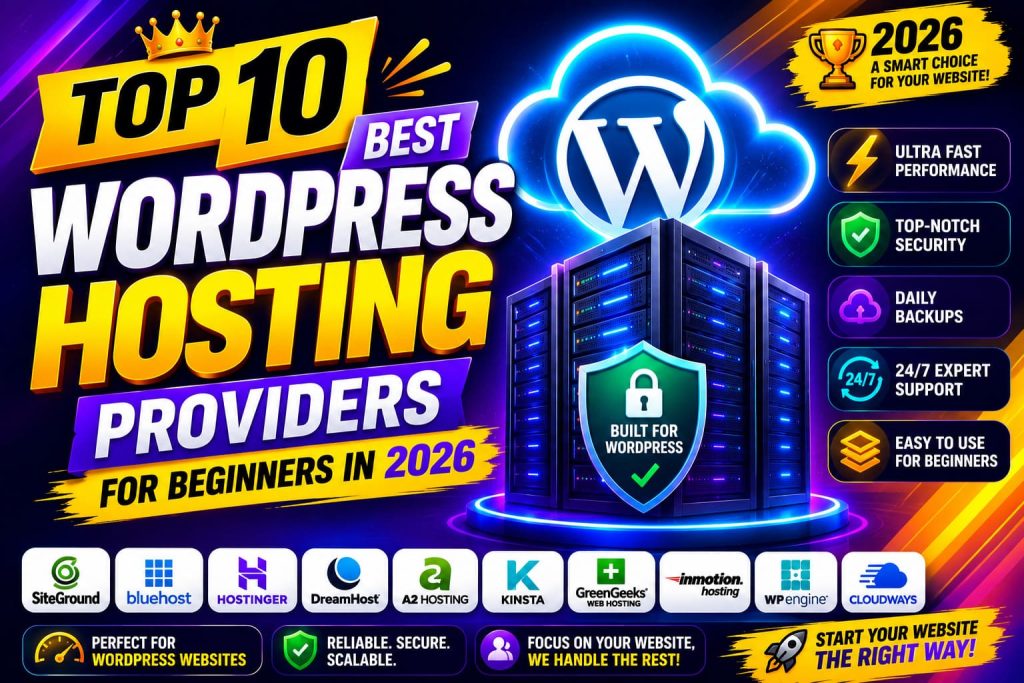
With hundreds of hosting providers claiming to offer the “best” solution, it can feel overwhelming to navigate the options. But don’t worry – we’ve done the research for you. In this comprehensive guide, we’ll break down the top 10 WordPress hosting providers specifically tailored for beginners in 2026. Each option offers unique advantages, and by the end of this article, you’ll know exactly which provider aligns with your needs and budget.
The right hosting provider should offer easy setup, reliable uptime, good customer support, and room to grow. Let’s dive in!
What Makes a Good WordPress Host for Beginners?
Before we explore our top 10 recommendations, let’s establish what qualities matter most for beginners:
- Easy Setup: One-click WordPress installation and intuitive control panels
- Reliable Performance: Fast loading times and 99.9%+ uptime guarantee
- Security Features: SSL certificates, malware scanning, and automatic backups
- Customer Support: 24/7 assistance via multiple channels
- Affordability: Budget-friendly pricing with transparent billing
- Scalability: Room to upgrade as your site grows
- User-Friendly Interface: No technical expertise required
With these criteria in mind, let’s explore the best options available to you.
1. Bluehost: The Officially Recommended Choice
Overview
Bluehost stands as one of the most popular choices for WordPress beginners, and for good reason. It’s officially recommended by WordPress.org and has served millions of websites since 2003.
Key Features
Bluehost offers a seamless WordPress integration experience. Their platform includes a single-click WordPress installation, a beginner-friendly interface, and integrated marketing tools. Each plan comes with automatic WordPress updates, daily backups, and 24/7 customer support via phone, chat, and email.
The hosting includes a free domain name for the first year, a free SSL certificate, and unmetered bandwidth. Performance-wise, you get access to their Content Delivery Network (CDN) for faster loading times worldwide.
Pricing and Plans
Starter plans begin around $2.95 per month (introductory pricing), making it incredibly accessible for beginners. As your site grows, you can upgrade to Business or Pro plans. The renewal prices are higher, so factor that into your long-term budget.
Pros and Cons
Pros:
- Official WordPress.org recommendation
- Excellent beginner support
- Affordable introductory pricing
- Free domain and SSL
- Unmetered bandwidth
- Marketing credits included
Cons:
- Renewal pricing increases significantly
- Renewal domain registration costs extra
- Can be slower during traffic spikes
- Limited customization on starter plans
Best For
Absolute beginners who want an officially endorsed platform with comprehensive support and affordable pricing. Perfect if you’re just starting out and want to keep costs low initially.
2. SiteGround: Premium Support and Performance
Overview
SiteGround is renowned for providing exceptional customer service and superior performance. While slightly pricier than budget hosts, the quality justifies the investment for beginners who value reliability.
Key Features
SiteGround offers specialized WordPress hosting with a proprietary control panel called Site Tools. This interface is more intuitive than traditional cPanel, making it perfect for beginners. The platform includes automatic daily backups, one-click WordPress installation, and WordPress-specific security features.
Their infrastructure is built on modern technology with SSD storage, free SSL certificates, and automatic WordPress updates. SiteGround also provides integrated site monitoring, which alerts you to any issues before they affect visitors.
Pricing and Plans
StartUp plans begin around $3.99 per month, with GrowBig and GoGeek options for growing sites. SiteGround’s pricing is transparent with no hidden fees, and renewal rates are consistent with introductory rates.
Pros and Cons
Pros:
- Exceptional customer support (industry-leading response times)
- Fast, reliable performance
- User-friendly Site Tools interface
- Free daily backups
- Transparent, honest pricing
- No renewal price increases
- Free WordPress migration
Cons:
- Slightly higher than rock-bottom budget hosts
- No unlimited storage on lower plans
- Entry-level plan has limited resources
Best For
Beginners who prioritize support quality and performance over the absolute lowest price. Ideal if you want peace of mind knowing experts are ready to help.
3. DreamHost: Generous Resources and Developer-Friendly
Overview
DreamHost has been serving customers since 1997 and is known for its generous resource allocations and commitment to open-source software. They’re also an official WordPress.org recommended host.
Key Features
DreamHost provides unlimited storage and unlimited bandwidth on all plans, which is rare in the hosting industry. They include free SSL, automatic WordPress updates, and one-click WordPress installation. The platform features a custom control panel that’s relatively beginner-friendly.
What sets DreamHost apart is their focus on developer tools. Even beginners who might grow into development will appreciate features like staging sites, SSH access, and Git support.
Pricing and Plans
Shared hosting plans start around $2.59 per month with impressive unlimited features. DreamHost frequently offers promotional pricing, and their renewal rates are competitive.
Pros and Cons
Pros:
- Unlimited storage and bandwidth
- Official WordPress.org recommendation
- Generous resource allocation
- Developer-friendly tools
- 97-day money-back guarantee (industry’s longest)
- Free domain registration
- No setup fees
Cons:
- Control panel has a learning curve compared to other beginner hosts
- Slightly slower performance than premium hosts
- Can be overwhelming with too many features for absolute beginners
Best For
Beginners who anticipate growth and want room to expand without upgrading hosts. Great if you like having developer tools available even if you don’t use them immediately.
4. HostGator: Budget-Friendly with Flexible Pricing
Overview
HostGator is synonymous with affordable hosting. They’ve built their reputation on providing budget-conscious solutions without completely sacrificing quality. With over 12 million websites hosted, they’ve proven they can handle scale.
Key Features
HostGator offers one-click WordPress installation, unlimited bandwidth, unmetered storage, and free SSL certificates. Their hatchling plan is incredibly affordable, making WordPress accessible to nearly anyone. They provide 24/7 support via phone and chat, plus a 45-day money-back guarantee.
The platform includes website building tools, SEO recommendations, and email marketing integrations that help beginners expand their online presence.
Pricing and Plans
Plans start at approximately $2.75 per month with a 45-day money-back guarantee—one of the most generous guarantees available. Upgrade paths to Business and Business Plus plans are smooth and affordable.
Pros and Cons
Pros:
- Extremely affordable introductory pricing
- 45-day money-back guarantee
- Unlimited bandwidth and storage
- Free SSL and domain
- Flexible upgrade path
- Reliable uptime (99.95%)
- Good for resource-heavy sites
Cons:
- Renewal pricing is notably higher
- Customer service can be inconsistent
- Support quality varies by channel
- occasional performance hiccups during peak traffic
Best For
Budget-conscious beginners who want maximum affordability and don’t mind the higher renewal rates. Perfect if you want to test WordPress without significant financial commitment.
5. Kinsta: Performance-Focused Premium Hosting
Overview
Kinsta represents the premium end of the spectrum and is ideal for beginners who don’t want to worry about performance as their site grows. It’s managed WordPress hosting built on Google Cloud infrastructure.
Key Features
Kinsta offers superior performance with enterprise-grade infrastructure. Their platform includes automated daily backups, free SSL, advanced security features with Web Application Firewall (WAF), and DDoS protection. Every plan includes automatic scaling, so you never worry about traffic spikes.
The dashboard is clean and modern, making it easier for beginners to manage their sites. They provide WordPress staging environments, one-click rollbacks, and comprehensive analytics.
Pricing and Plans
Kinsta’s pricing starts around $35 per month, positioning it as a premium option. However, this includes features that budget hosts charge extra for or don’t offer at all.
Pros and Cons
Pros:
- Exceptional performance and speed
- Google Cloud infrastructure
- Advanced security features
- Automatic scaling
- Free migrations
- Excellent customer support
- No renewal price increases
- Staging environments included
Cons:
- Significantly higher cost than budget hosts
- May be overkill for simple blogs
- Requires more technical understanding of some features
- Limited entry-level resources
Best For
Beginners with larger budgets who want premium performance without worrying about technical details. Ideal if you’re launching a business site where speed and reliability are critical.
6. Namecheap: Great Value with Friendly Approach
Overview
Namecheap is famous for their tagline “Running a successful website is hard enough,” and their hosting reflects this philosophy. They aim to make hosting simple, affordable, and reliable.
Key Features
Namecheap’s EasyWP service is their WordPress-specific hosting offering. It includes one-click WordPress installation, free SSL, automatic daily backups, and performance optimization. Their control panel is user-friendly, and they provide free site migration from other hosts.
The platform includes WordPress-specific security features, automatic updates, and a staging environment for testing changes safely. They also offer genuine 24/7 customer support.
Pricing and Plans
Starter plans begin around $2.58 per month with transparent pricing and no setup fees. Renewal rates remain competitive, and they frequently offer promotional pricing.
Pros and Cons
Pros:
- Extremely affordable
- User-friendly EasyWP interface
- Free migrations
- Good uptime reliability
- Transparent, honest pricing
- Genuine customer support
- Free domain for first year
- Staging environment included
Cons:
- Lower resource allocation on entry plans
- Limited advanced features
- Smaller company means fewer resources than mega-hosts
- Performance can vary
Best For
Budget-conscious beginners looking for honest, straightforward WordPress hosting without unnecessary complexity. Great if you appreciate transparency and genuine support.
7. A2 Hosting: Speed and Developer Resources
Overview
A2 Hosting has built a reputation around speed optimization and developer-friendly features. They’re an ideal middle ground between budget hosts and premium services.
Key Features
A2 Hosting offers optimized WordPress hosting with their proprietary Turbo plans that promise 20x faster loading times. The platform includes free SSL, unlimited storage and bandwidth, automatic backups, and WordPress staging environments.
They provide excellent developer tools including SSH access, Git support, and compiler caching. Despite these features, their control panel remains accessible for beginners.
Pricing and Plans
Plans start around $2.99 per month, with Turbo plans around $9.99 monthly for significantly better performance. They match competitor pricing during promotional periods.
Pros and Cons
Pros:
- Excellent speed optimization
- Developer-friendly tools
- Turbo performance available
- Free SSL and migrations
- 30-day money-back guarantee
- Good uptime (99.9%)
- Unlimited storage and bandwidth
- Anytime support
Cons:
- Renewal pricing increases substantially
- Turbo plans add significant cost
- Support quality can be hit-or-miss
- Interface feels a bit cluttered
Best For
Beginners who care about site speed and might grow into development tasks. Perfect if you want performance optimization without a huge price tag.
8. InMotion Hosting: Professional and Scalable
Overview
InMotion Hosting is a US-based company known for professional-grade services at reasonable prices. They offer a good balance of power and accessibility for beginners ready to grow.
Key Features
InMotion provides WordPress-optimized hosting with one-click installation, automatic backups, and security features. Their platform includes a custom control panel called WebShop Manager, which is relatively beginner-friendly.
Every plan includes free SSL, unmetered bandwidth, and SSD storage. They provide WordPress staging, version control, and advanced caching. Their commitment to customer support includes phone support, live chat, and a knowledge base.
Pricing and Plans
Plans start around $2.99 per month for WordPress hosting, with renewal prices being reasonable. Higher tiers offer more resources and advanced features.
Pros and Cons
Pros:
- Professional-grade infrastructure
- Good customer support
- Reasonable renewal pricing
- Free migrations
- Automatic updates and backups
- Good uptime record (99.96%)
- Scalable infrastructure
- Free SSL
Cons:
- Control panel is different from industry standard
- Support response times can vary
- Less feature-rich than some competitors
- Media-heavy sites might need upgrades quickly
Best For
Beginners who want professional hosting without premium pricing. Good for those planning significant growth and wanting a provider who can scale with them.
9. Hostinger: Modern Platform with Excellent Value
Overview
Hostinger has rapidly grown into one of the most popular hosting providers globally. They’ve modernized the hosting experience with a clean interface and excellent performance at budget-friendly prices.
Key Features
Hostinger’s WordPress hosting includes a modern control panel with one-click WordPress installation. The platform features automatic WordPress updates, daily backups, free SSL, and a website builder for beginners.
They provide WordPress staging, WordPress-specific security features, and performance optimization tools. The interface is noticeably more modern than older hosting platforms, making navigation intuitive.
Pricing and Plans
Plans start around $2.99 per month with excellent renewal rates. Hostinger’s pricing is competitive, and they frequently offer promotional deals.
Pros and Cons
Pros:
- Modern, clean interface
- Excellent value for money
- Fast performance
- Good customer support
- Competitive renewal prices
- Free domain for first year
- Website builder included
- 30-day money-back guarantee
Cons:
- Smaller company means fewer resources
- Limited advanced features
- Customer support primarily via chat
- No phone support in all regions
Best For
Modern beginners who appreciate contemporary design and clean interfaces. Perfect if you want good value without outdated-feeling dashboards.
10. Bluehost for WooCommerce: E-commerce Specialized
Overview
While Bluehost already appeared on our list, we wanted to specifically mention their WooCommerce-optimized hosting, as many beginners are launching online stores rather than just blogs.
Key Features
Bluehost’s WooCommerce hosting includes all standard features plus specialized optimization for WooCommerce. This includes product recommendation engines, abandoned cart recovery, and built-in marketing tools specifically for e-commerce.
The platform provides SSL certificates, automatic backups, and performance optimization tuned for product catalogs and transactions. It includes integration with popular payment gateways and shipping solutions.
Pricing and Plans
WooCommerce plans start similarly to standard hosting but include e-commerce specific features. The value proposition is strong for store owners launching their first online shop.
Pros and Cons
Pros:
- WooCommerce-specific optimization
- E-commerce tools integrated
- Good for product-heavy sites
- Affordable e-commerce hosting
- Built-in marketing tools
- Official WordPress.org recommendation
Cons:
- May be overkill for simple stores
- Renewal pricing increases
- Can require more management
- Performance at high traffic volume
Best For
Beginners launching WooCommerce stores who want platform optimization without premium pricing. Ideal if you’re selling products and want built-in e-commerce features.
Comparison Table: Quick Reference
| Provider | Starting Price | Renewal Price | Support | Uptime | Best For |
|---|---|---|---|---|---|
| Bluehost | $2.95/mo | $8.99+/mo | Excellent | 99.9% | Official recommendation |
| SiteGround | $3.99/mo | $3.99+/mo | Industry-leading | 99.99% | Premium support |
| DreamHost | $2.59/mo | $2.59+/mo | Good | 99.99% | Unlimited resources |
| HostGator | $2.75/mo | $5.95+/mo | Good | 99.95% | Budget-conscious |
| Kinsta | $35/mo | $35/mo | Excellent | 99.95% | Performance-focused |
| Namecheap | $2.58/mo | $2.58+/mo | Good | 99.9% | Transparency |
| A2 Hosting | $2.99/mo | $5.95+/mo | Good | 99.9% | Speed optimization |
| InMotion | $2.99/mo | $4.99+/mo | Good | 99.96% | Professional growth |
| Hostinger | $2.99/mo | $5.99+/mo | Good | 99.9% | Modern interface |
| Bluehost WooCommerce | $5.95/mo | $12.99+/mo | Excellent | 99.9% | E-commerce stores |
How to Choose the Right Host for Your Needs
Consider Your Budget
Be honest about what you can spend. Budget hosts ($2-4/month) are great for starting, but remember renewal rates. Premium hosts ($30+/month) offer better peace of mind.
Evaluate Your Traffic Expectations
Starting a simple blog? Budget hosting works. Planning a business site with expected growth? Premium or scalable hosting prevents future migrations.
Assess Your Technical Skills
Absolute beginners: Choose Bluehost or SiteGround for straightforward interfaces. Comfortable with tech: DreamHost or A2 Hosting offer more tools.
Think About Growth
Will you need e-commerce? Choose WooCommerce-optimized hosting. Anticipate high traffic? Pick hosts with strong scaling capabilities.
Check Support Options
For beginners, 24/7 support via phone and live chat is invaluable. Check response times and availability before committing.
Common Beginner Hosting Mistakes to Avoid
Mistake #1: Choosing Based Solely on Price
The cheapest host isn’t always the best value. Consider renewal rates, feature limitations, and support quality. A slightly more expensive host with better support can save you headaches.
Mistake #2: Ignoring Renewal Rates
Many hosts advertise low introductory rates but dramatically increase prices at renewal. Calculate your true long-term costs before deciding.
Mistake #3: Not Reading the Fine Print
Understand storage limits, bandwidth restrictions, and support availability. Some budget hosts have hidden limitations on resources.
Mistake #4: Underestimating Support Needs
As a beginner, you’ll likely need assistance. Cheap hosts with minimal support might cost more in time and frustration than premium hosts with robust support.
Mistake #5: Not Planning for Growth
Choose hosting with upgrade paths. You don’t want to switch hosts six months in when traffic exceeds your plan’s capacity.
Migration Made Easy
Don’t let fear of switching hosts prevent you from choosing the right platform. Many hosting providers offer:
- Free migrations: Most providers will transfer your site at no cost
- Migration assistance: Support teams guide you through the process
- Minimal downtime: Modern migrations take hours, not days
- Money-back guarantees: Test a host risk-free before committing
Security Considerations for Beginners
Regardless of which host you choose, implement these security practices:
Essential Security Features
Your hosting should include:
- SSL Certificates: Free HTTPS encryption
- Automatic Backups: Daily backups you can restore
- Malware Scanning: Regular security checks
- Firewall Protection: DDoS and intrusion prevention
- Automatic Updates: Keep WordPress, plugins, and themes current
Your Responsibility
Even with hosting security features, you must:
- Use strong, unique passwords
- Keep plugins and themes updated
- Install security plugins
- Regular security audits
- Monitor for suspicious activity
Scalability and Growth
Your hosting choice impacts your future flexibility. Consider:
Upgrade Paths
Can you upgrade resources without migrating? Bluehost, SiteGround, and Kinsta offer seamless upgrades.
Resource Expansion
What happens when you need more storage or bandwidth? Ensure your host can accommodate growth.
Multi-site Capabilities
If you’ll eventually manage multiple WordPress installations, choose hosts supporting WordPress Multisite.
Developer Tools
If you’ll grow into custom development, hosts like DreamHost and A2 provide SSH, Git, and staging environments.
Making Your Final Decision
Step 1: Identify Your Primary Need
Blog? Budget host like HostGator. Business site? SiteGround. Online store? Bluehost WooCommerce. High traffic? Kinsta.
Step 2: Calculate Total Cost of Ownership
Don’t just look at year one pricing. Calculate costs for three years including renewals and any added features.
Step 3: Test the Support
Contact customer support with questions before committing. Their responsiveness indicates how they’ll treat you as a customer.
Step 4: Review the Money-Back Guarantee
Most hosts offer 30-45 day guarantees. Use this time to thoroughly test if the platform meets your needs.
Step 5: Consider the Long-Term Relationship
You’ll likely spend years with this host. Choose one you feel confident will support your growth.
Conclusion
The best WordPress hosting provider for beginners in 2026 isn’t a one-size-fits-all answer. It depends on your specific needs, budget, and growth plans.
If you want an officially recommended platform with excellent support at affordable prices, Bluehost remains the top choice for beginners. If support quality is your priority, SiteGround delivers industry-leading service. For unlimited resources and flexibility, DreamHost provides exceptional value.
The key to success isn’t finding the “perfect” host—it’s choosing a quality provider that aligns with your current needs while offering room to grow. All ten providers on this list are legitimate, reliable options used by millions of successful websites.
Remember that moving hosts is possible if your needs change. Don’t let perfectionism prevent you from starting. Choose a reputable provider, launch your website, and focus on creating great content. Your hosting decision is important, but your website’s success ultimately depends on the value you provide to visitors.
Ready to start? Visit one of these providers, take advantage of their money-back guarantees, and launch your WordPress site today. Your online journey awaits!
Frequently Asked Questions
Q: Can I switch hosting providers if I’m unhappy? A: Yes, most hosts offer free migrations. You can switch providers relatively easily.
Q: Will my website go down during migration? A: Modern migrations minimize downtime. Most transfers happen with minimal or no visitor disruption.
Q: What if the introductory price is too good to be true? A: Check renewal rates carefully. Very low introductory prices often come with significant increases at renewal.
Q: Do I need premium hosting immediately? A: No. Start with budget hosting and upgrade as your site grows and requires more resources.
Q: Is shared hosting suitable for business websites? A: Absolutely. Most business websites thrive on shared hosting. Switch to dedicated or cloud hosting only if you outgrow shared resources.
Q: How much storage and bandwidth do I really need? A: For most beginners, 50GB of storage and unlimited bandwidth is more than sufficient to start.
Q: Can I get a refund if I’m unhappy? A: Yes. All providers mentioned offer money-back guarantees ranging from 30-97 days.
Last Updated: 2026. This guide is regularly updated with current pricing and features.
